Match the interface to the next action.
Driving and working are different activities. Separate start and end actions help keep the record aligned with the real visit, while store-level tasks stay attached to the right location.
TaskMile / Workflow & product design
An independent field-operations tool that grew out of my own need to connect routes, time, mileage, store tasks, and the end-of-day record.
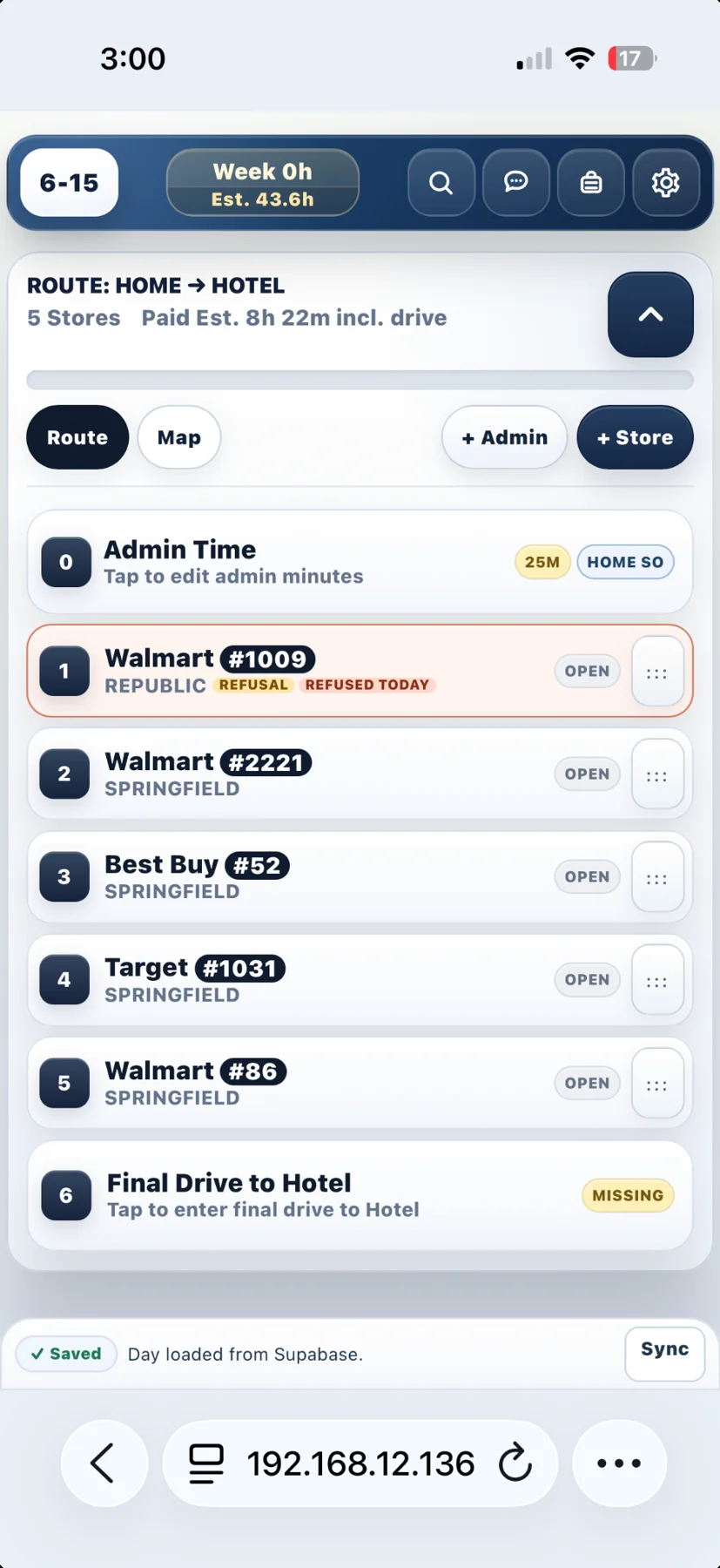
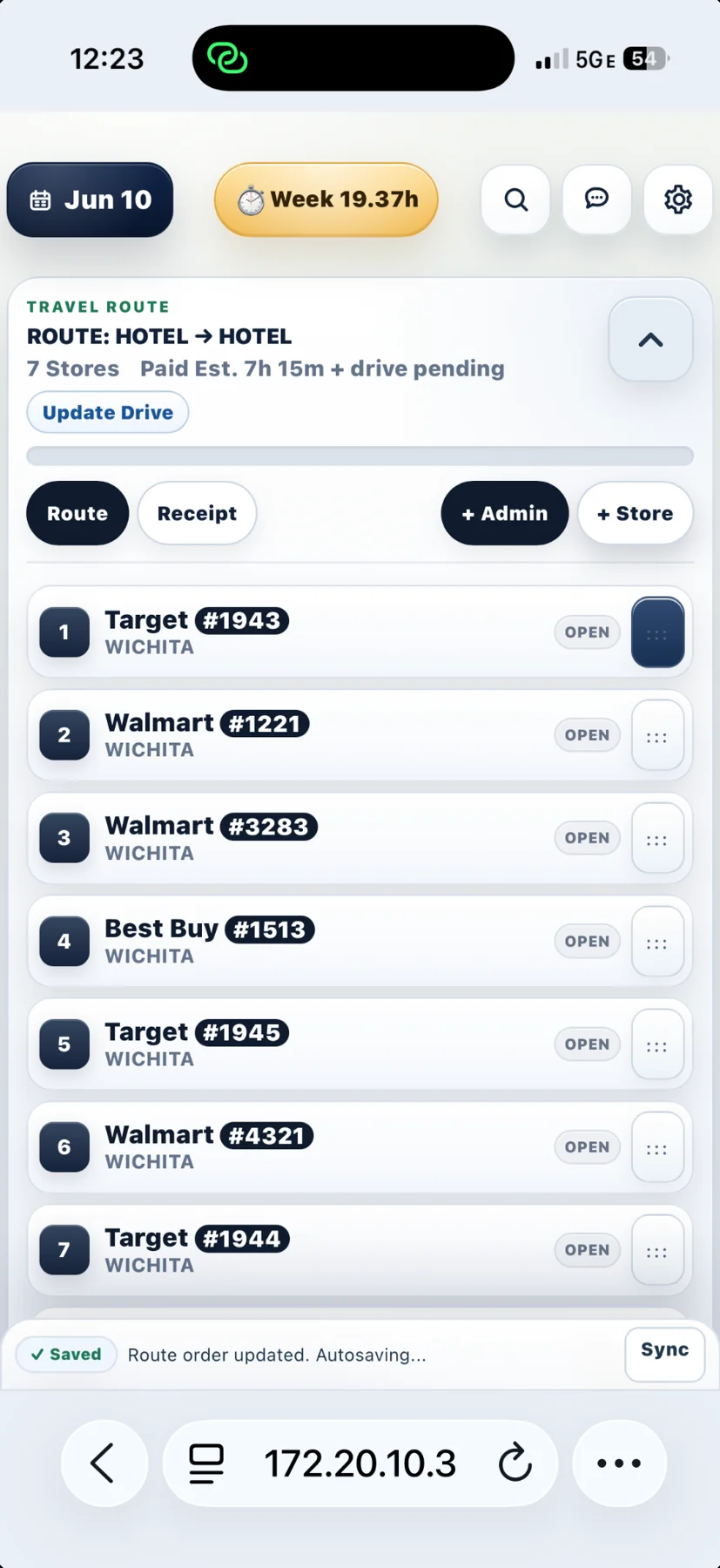
A field visit involves much more than arriving at a store. There is route planning, travel time, mileage, work time, merchandising tasks, store exceptions, and reporting. Recording the same day in separate places creates repeated entry and opportunities for mistakes.
I was doing that work myself. I began turning the process into an application so the route and the record could stay together.
I mapped the actual sequence of the day, defined the rules and exceptions, and directed the AI-assisted implementation. I tested changes in active field conditions, reproduced problems, and refined the interface around how I use it on a phone.
The work includes planning, drive and work states, checklists, refusal tracking, administrative time, commute treatment, route changes, and daily summaries. I also developed demonstration material to explain the workflow to others.
The central design decision was to keep information attached to the visit that produced it. A route is also a sequence of activities, exceptions, and records that need to agree at the end of the day.
Organize store visits into a route and account for the day’s travel and work. A useful plan also needs room for administrative activity and changes to the order or date of visits.
Separate drive and work actions reflect the actual transition from traveling to performing a visit. The goal is to capture the activity in context instead of reconstructing it from scattered notes later.
Checklists, refusals, delays, and other visit details belong with the relevant store. Unusual situations should still produce a clear record rather than a workaround the user has to remember.
Daily totals bring time, mileage, work, and commute treatment together. That view gives the user a place to check the record and identify an inconsistency before using it for reporting.
Driving and working are different activities. Separate start and end actions help keep the record aligned with the real visit, while store-level tasks stay attached to the right location.
A delayed drive, an unexpected refusal, or administrative work should not force someone outside the workflow. I identified inconsistencies between timer and manual-entry paths and specified validation that applies across them.
Swapping days needs to preserve the visits and their details. Undo behavior and protection for started or completed work are part of that requirement, not afterthoughts.

I named and shaped TaskMile as an independent product. The connected route mark and clearer visual system support a demonstration focused on the person planning the stops, doing the work, and keeping the record.
The original process
A store list, travel and work notes, mileage, and the information needed for the daily report.
The direction I built
Plan the route, record the activity, capture exceptions, and review the day in one workflow.
A closer look
Moving a day’s route sounds simple until that route includes visit notes, stop order, administrative blocks, estimates, and work already in progress. I specified a day-swap interaction that keeps those details attached to their visits.
The interaction includes desktop drag-and-drop and an explicit swap control for mobile or keyboard use. The requirements also cover empty dates, protection for started or completed work, and an undo action that cannot overwrite a newer change. This is the kind of operational detail I bring from using the tool myself.
This is my independent project. It has not been adopted company-wide and is not presented as an official employer platform.
AI assists with implementation, troubleshooting, and testing. I supply the operational knowledge, define intended behavior, review the results, and test the application against the situations I encounter in the field.
Using the software in my own work gives me direct feedback. I can turn a small frustration into a clear requirement, explain what should happen in an unusual situation, and evaluate whether the resulting change actually helps.
Talk with me about this project